Skip to content
Hatch & DXF Files for CAD
The way in which stone pieces are sized and placed relative to each other is referred to as a design pattern. Design patterns play a practical construction role, but they can also be used to evoke a certain feeling. For example, a grid cobblestone pattern can evoke a feeling of security, whereas a fan cobblestone pattern might evoke whimsy and fun.
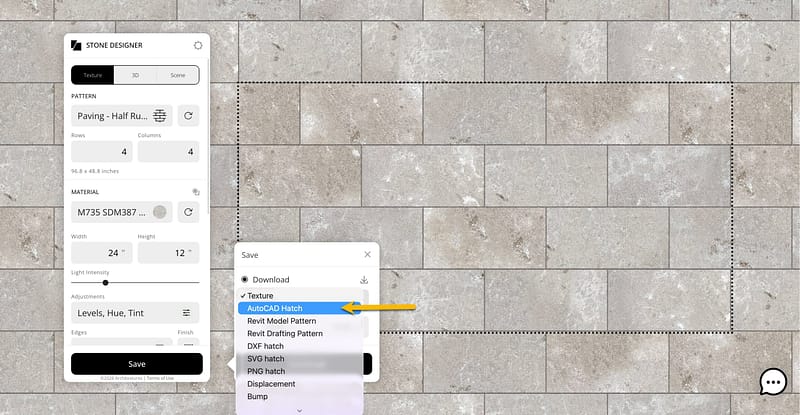
Hatch files are seamless stone patterns that can be applied to 2D drawings; as well as horizontal and vertical surfaces in 3D drawings. All of our 100+ stone design patterns are available as 2D hatch files for AutoCAD, Revit and Vectorworks They are downloadable at no cost from our Stone Designer App. Simply follow the steps below for downloading PAT hatch files. The steps for downloading DXF files are identical, except in Step 3, you will select the “DXF hatch” option.
1. Go to Stone Designer and choose a pattern. Make any desired adjustments (e.g., size or joints).
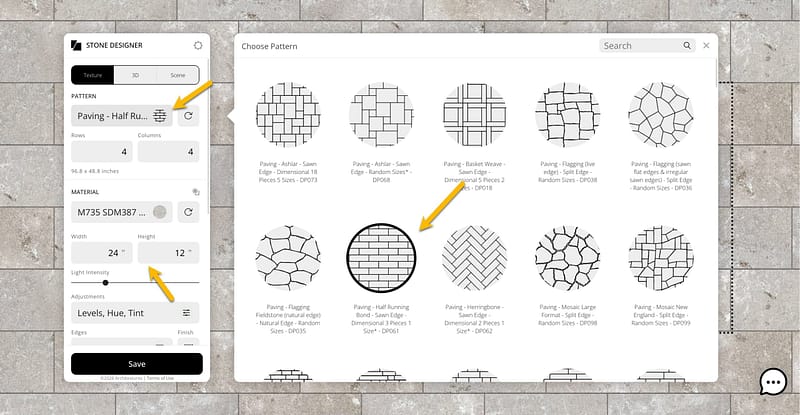
2. Click the SAVE button. A pop-up will appear with various download options.
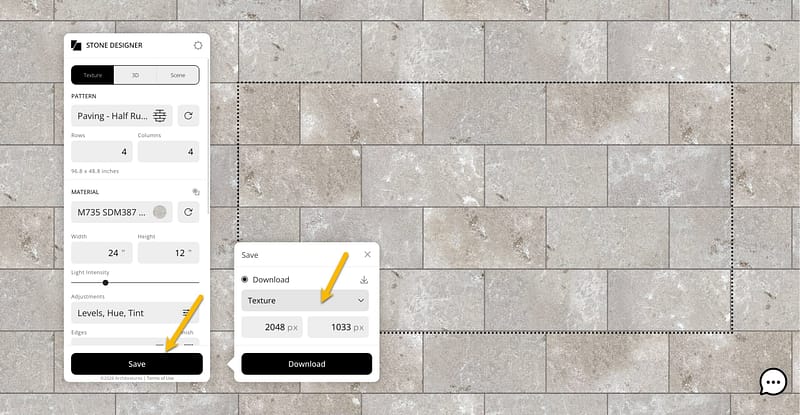
3. Click the dropdown and select the hatch option that will work best for you (see notes below).
4. Click the DOWNLOAD button.
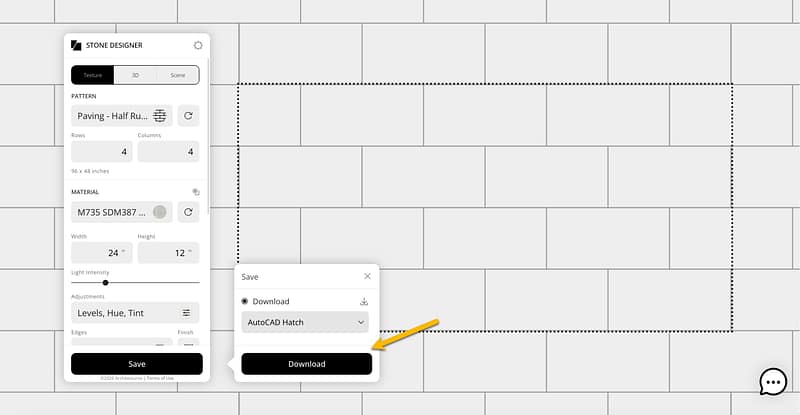
You must be logged into an account to download CAD resources.
For VectorWorks, use the “AutoCAD Hatch” option.
AutoCAD and Revit downloads are in the standard .PAT hatch exchange format. These exchange files work perfectly for hatches comprised of straight sides. For stone patterns with rough edges, the exchange files may not be as perfect. You may see artifacts in the lines due to the limitations of the .PAT file format. These artifacts are most apparent when zoomed in on the hatch, and much less apparent at typical plan scales. In cases where .PAT files are not “good enough” ,consider using a .DXF, .SVG or .PNG hatch format.
.PAT file installation and setup instructions are available for AutoCAD, Revit and Vectorworks.
If you need assistance using our Hatch Patterns for AutoCAD or Revit please contact cadsupport@stonecurators.com . We will try to answer your query promptly, but it may be 2 or 3 business days.
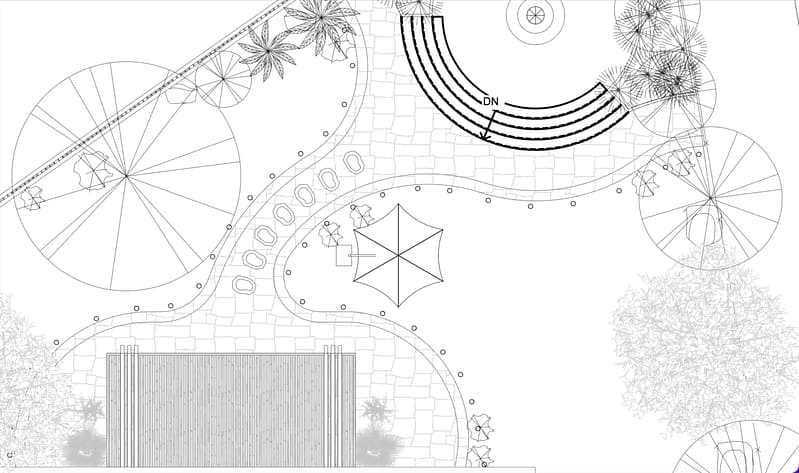
Below – Example AutoCAD drawing using a .PAT hatch file. Note how the irregular shape stone line atrifacts are not noticible at these scales.
COPYRIGHT
The files provided are the copyrighted property of Stone Curators. We ask that you include “Courtesy of Stone Curators” wherever they are displayed. You may use these files for your personal or work-related use. You may share these files and derivative products with work colleagues, contractors and customers. For other uses, please contact us to obtain permission. Please see our complete Terms of Use for more information.